KC Distribution Company
Independent Rainbow® Vacuum Repair & Service
Vacuum Repair serving
Tampa Bay and Gulf Coast Florida
We Pick up and deliver Free
Call or Text
727-560-1236
30 Years of Trust
Professional Care for Rainbow® Owners
Across the Gulf Coast and Tampa Bay
FREE Pickup & Delivery for your Rainbow® system. We save you the trip by coming directly to your door.
Independent Service Provider – Not a Rexair Distributor.
Expert Service with Free Pickup and Delivery throughout St. Petersburg and Tampa Bay.
Professional Maintenance and deep-cleaning services. We keep your machine running like new.
30 Years of Experience performing high-quality service on all Rainbow® vacuum models.
Independent Rainbow® Vacuum Repair in
St. Petersburg
Call or text
727-560-1236
Rainbow® Vacuum Repair in
Tampa
Call 813-626-4127
Rainbow® Vacuum Repair in
Clearwater
Call or text 727-222-0604
Rainbow® Vacuum Repair
in Sarasota-Bradenton Call
941-404-8614
Here is why people love working with us.
Google any of our phone numbers to read the full reviews !
Reviews
I was from out of town and he was very accommodating, met me in the area and serviced my machine in one days time, did a fantastic job and it looks like brand new. I highly recommend him.
Carmen was awesome delivered my purchase to my home. The rainbow vacuum cleans so well. I'm really happy with my purchase.
Carmen Decesare has serviced our Rainbow for years. He is a true professional! Always available by phone to answer any questions or issues. Carmen provides timely, convenient and dependable service .
Carmen was an absolute delight to work with regarding the assessment and repair of my Rainbow vacuum.
Excellent experience with this company! They brought our Rainbow E2 vacuum back from the dead.
A huge shout out to Carmen who did an amazing job with the fixing and service of our Rainbow. He was kind, courteous.

Sanibel Island trip winners

The Role of Sports in the Education System
10/31/23, 6:00 PM
This item is connected to a text field in your content collection. Double click to add your own content. Click the Content Manager icon on the add panel to your left.

This item is connected to a text field in your content collection. Double click what you want to edit and then select "Change Content" to open the collection. Want to view and manage all your collections? Click the Content Manager icon on the add panel to your left. In the Content Manager, you can update items, add new fields, create dynamic pages and more.
Your content collection is already set up with fields and content. Add your own by editing each field, or import CSV files to your content collection. You can create fields for rich content, images, videos and more.
Use input elements like custom forms and fields to collect info from your site visitors and store it in your Content Collections. Make sure all your elements are Connected to Data, and make sure to Preview your Site to check that everything is connected correctly.
Hello
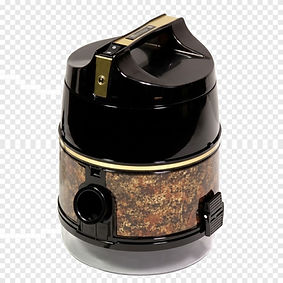
We can transform almost any Rainbow into like-new condition!



Parts and Supplies